




X-plore File Manager
系统工具
文件管理
开发者:
LonelyCatGames
应用介绍: Application manual: www.lonelycatgames.com/docs/xploreHighlights:● Dual-pane tree view● Root, FTP, SMB1 / SMB2, Sqlite, Zip, Rar, 7zip, DLNA/UPnP explorer● Disk Map - see which files consume most space on your disk - http://bit.ly/xp-dmap● Cloud storage access: Google Drive™, Dropbox, Box, Amazon cloud drive, Mega.co, OneDrive, Flickr, Webdav, MediaFire, Owncloud, SugarSync, GMX, Web.de● SSH File Transfer (SFTP) and SSH Shell ***● Music player ***● App manager● USB OTG● PDF viewer● WiFi file sharing ***● Manage files from a PC web browser ***● Favorite folders● Built-in viewers for images, audio, text● Video player with subtitles ***● Batch rename● Hex viewer● Fast Image viewer with zoom and slide to previous/next images● Thumbnails for images and video as well as for various file types (depending on associated application)● Multi-selection - always available, yet not disturbing● View APK files as ZIP● Share - send files by Bluetooth, email, or whatever the device supports, from any location● Configurable buttons and key shortcuts● Seamless work with Zip (as if it was normal folder)● Vault for encrypting sensitive files ****** marked features are paid - they require donationX-plore allows you to see inside of your Android device. And also outside.This is a dual-pane explorer, there are two folders shown at same time, and common operation such as copying files are done from one pane to another.And X-plore shows folder hierarchy in a tree view for clear orientation and fast switching to other location.You may explore internals of the device, and if you''''re power user and have your device rooted, you can make changes to system data - backup files, remove unwanted applications, etc.If you''''re standard user, you may choose to hide internal memory from view and be sure not to mess with system.You can comfortably see contents of mass memories on your device, or possibly attached USB memory stick.Simple app manager allows to see, run, copy, share, uninstall and further explore installed applications.WiFi file sharingAccess files on your Android device from other Android devices over WiFi.Access from a PC web browserManage files on your Android device from your PC.Access to FTP and FTPS (secure FTP) servers is supported.Multiple servers may be configured.X-plore can display shared folders on other computers in LAN.X-plore can access various web storage "Cloud" servers, and access their files.You need to have account in supported web service, then you can access your files stored online through X-plore.Supported is also SSH File Transfer (SFTP) and Terminal shell emulator.X-plore contains music player that can play music tracks from any available location.With Vault function, you can encrypt sensitive files, even by your fingerprint.Main operations are related to managing files and folders - viewing, copying, moving, deleting, compressing to Zip, extracting, renaming, sharing, and more.SQLite database viewerX-plore can show SQLite database files (those with .db extension) as expandable list of tables, each table containing list of rows and columns with database entries.Main interaction is done by touch screen, clicking on folders or files to open files, or long-click to open context menu which contains options which can be done on particular clicked item, or multiple selected items.Multi-selection allows to do operation on more files at once.Opening file may mean to use one of built-in viewer for most popular file types: images, audio, video and text.Or you may configure X-plore to use system application for opening files, in which case system-predefined application that can open particular file is launched.Archives (currently supported are Zip, Rar and 7zip) are displayed as other folders.
覆盖渗透率:
0.008%
应用大小:
8.87M
应用上线时间:
2016.01.03
数据概览
排名分析
用户生命周期
用户覆盖
新增用户
活跃用户
用户留存
用户质量分析
启动次数
使用时长
用户构成
用户特征分析
用户画像
用户偏好
设备分析
线下行为
运营数据分析
重合分析
来源去向
应用截图


日活跃用户
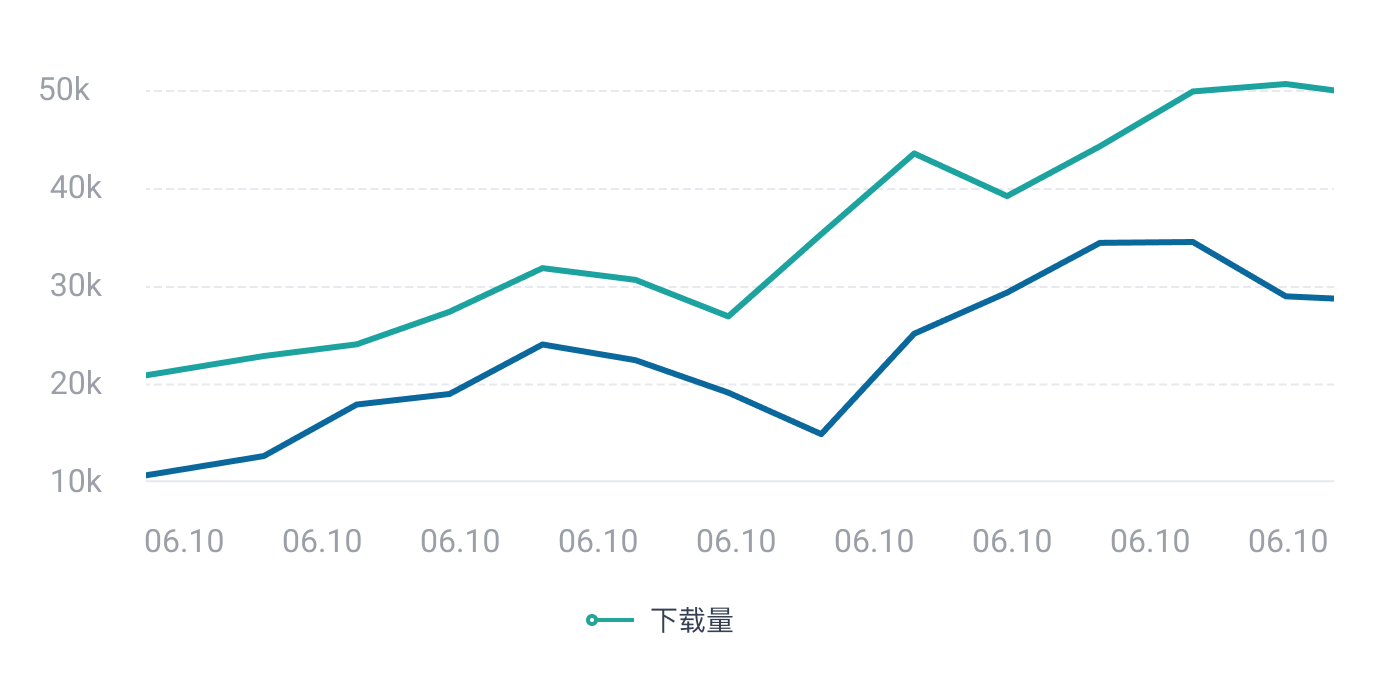
 立即联系,体验更多数据
日新增用户
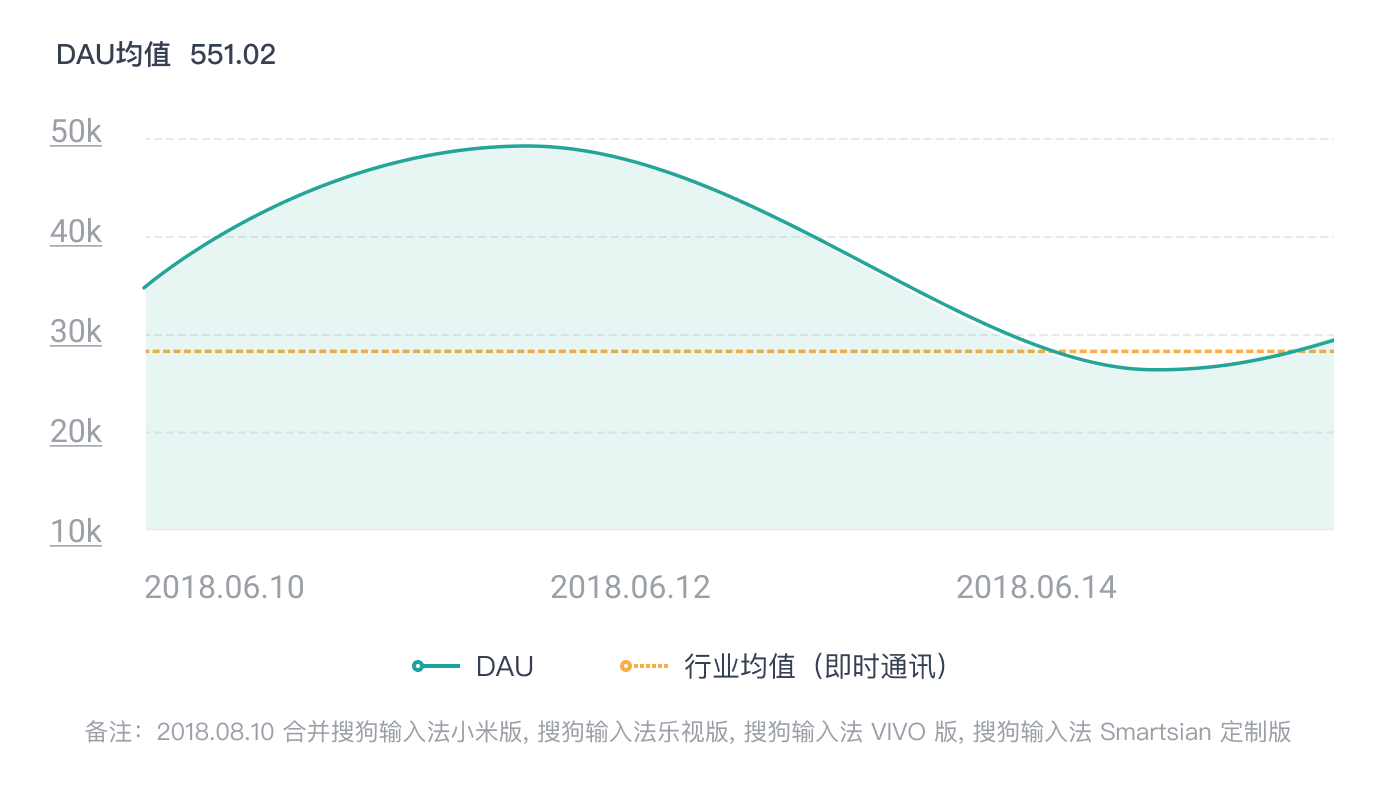 立即联系,体验更多数据
人均使用时长
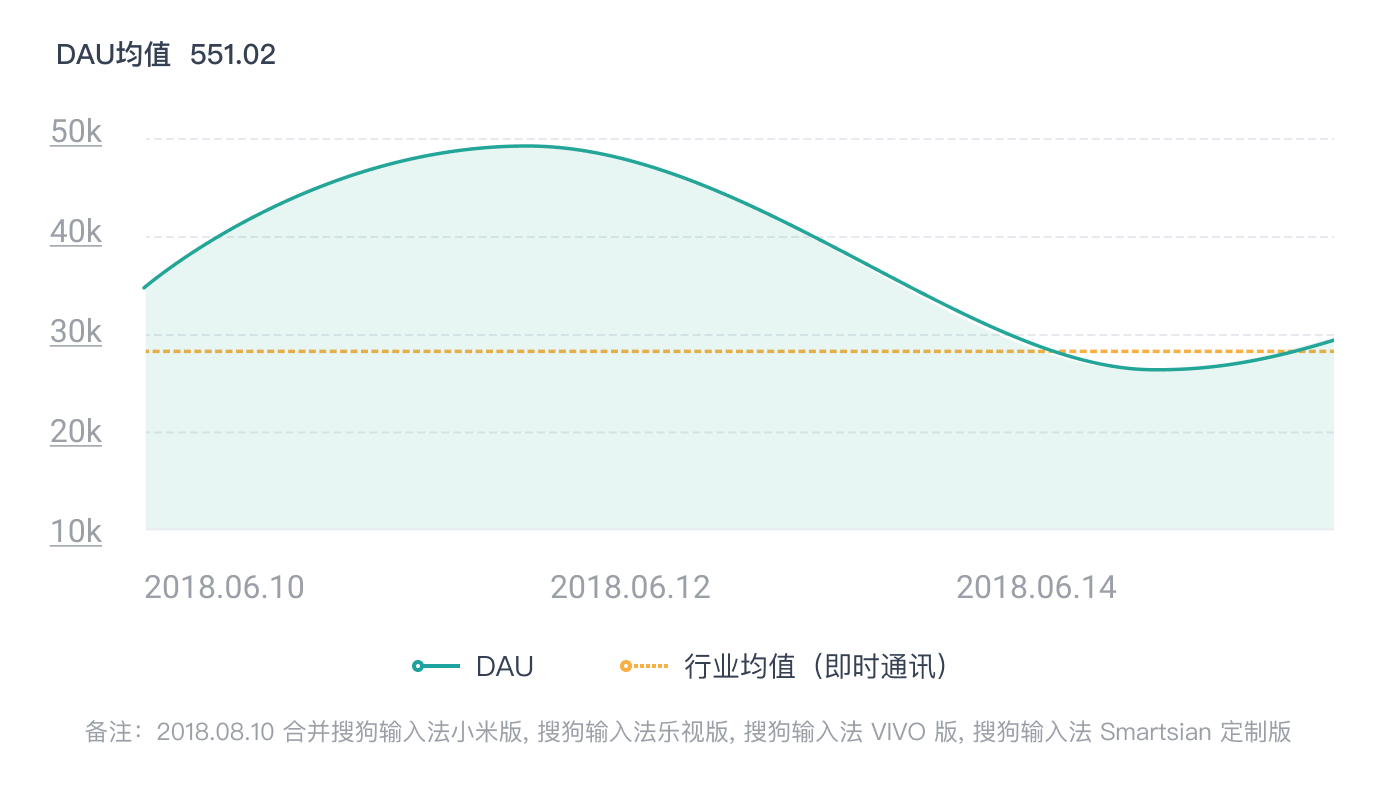 立即联系,体验更多数据
性别分布/年龄分布
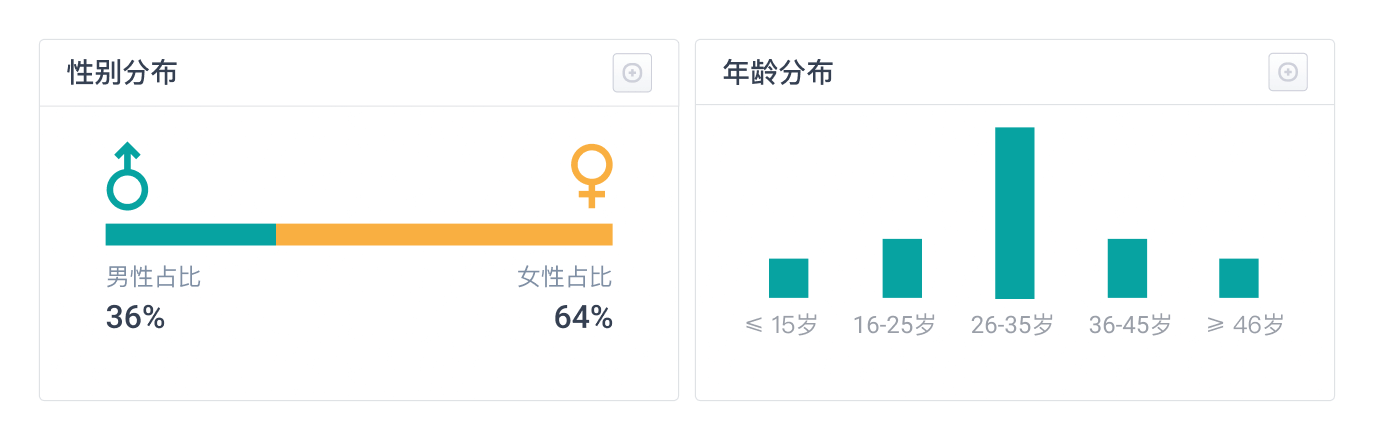 立即联系,体验更多数据
地域分布
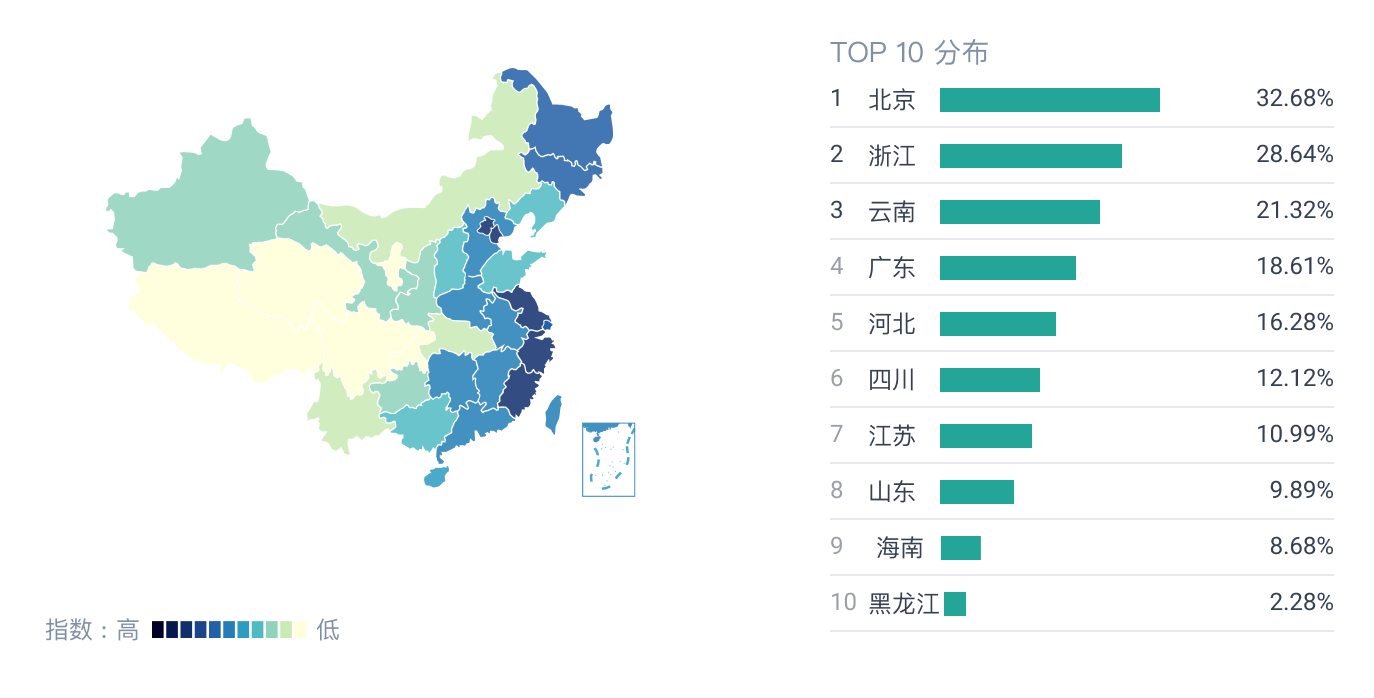 立即联系,体验更多数据
更新记录
版本号
更新时间
4.24.03
2020-12-21
4.17.00
2021-01-25
4.25.10
2021-03-12
显示全部




立即联系