

Control Center iOS 15
系统工具
文件管理
开发者:
LuuTinhDeveloper
应用介绍: Control Center iOS 13 gives you instant access to the Camera, Clock, Record the screen, Screenshot and more settings like to iOS X, iOS XS.How to use: https://www.youtube.com/watch?v=DGTF7PZoVTgTo Open Control Center iOS 13- Swipe up, swipe down, swipe right or swipe left from the edge of screen.To Close Control Center iOS 13- Swipe up, swipe down, swipe right, swipe left or tap the top of the screen, or press the Back, Home, Recent button.If you want to change how you access Control Center on your device, open Control Center application.Quickly change settings and open apps:With Control Center, you can quickly access multiple settings and apps.- Airplane Mode: Use Airplane Mode to instantly turn off Bluetooth, Wi-Fi, and cellular connections on your android device.- Wi-Fi: Turn on Wi-Fi to browse the web, stream music, download movies, and more.- Bluetooth: Connect to headphones, car kits, wireless keyboards, and other Bluetooth-enabled devices.- Do Not Disturb: Silence calls, alerts, and notifications that you receive while your device is locked.- Portrait Orientation Lock: Keep your screen from rotating when you move your device.- Adjust brightness: Adjust the brightness of your display from any screen.- Flashlight: The LED flash on your camera doubles as a flashlight, so you can get extra light when you need it.- Alarms and Timer: Set an alarm, timer, or stopwatch, or check the time in another country or region.- Calculator: Tap numbers and functions in Calculator, just like a standard calculator.- Camera: Never miss a moment to take a picture with quick access to your camera.- Control audio: From here, you can quickly play, pause, and control volume of your favorite song, podcast, and more.- Record Screen: Record any action in your phone. (Support android 5.0 above only)- Screenshot: Capture screen (Support android 5.0 above only)With Control Center app, you can customize more style, such as size, color, position, vibration and more like to iOS XS.NOW, CONTROL CENTER HAS BEEN SUPPORTED:- Assistive Touch like to https://play.google.com/store/apps/details?id=com.luutinhit.assistivetouch- Launcher iOS like to https://play.google.com/store/apps/details?id=com.luutinhit.ioslauncherAnd if you have any problems with Control Center application, please contact to me with email: smartscreenonoff@gmail.com.Thank you so much for using my app!
覆盖渗透率:
0.000%
应用大小:
5.2M
应用上线时间:
2017.09.04
数据概览
排名分析
用户生命周期
用户覆盖
新增用户
活跃用户
用户留存
用户质量分析
启动次数
使用时长
用户构成
用户特征分析
用户画像
用户偏好
设备分析
线下行为
运营数据分析
重合分析
来源去向
应用截图


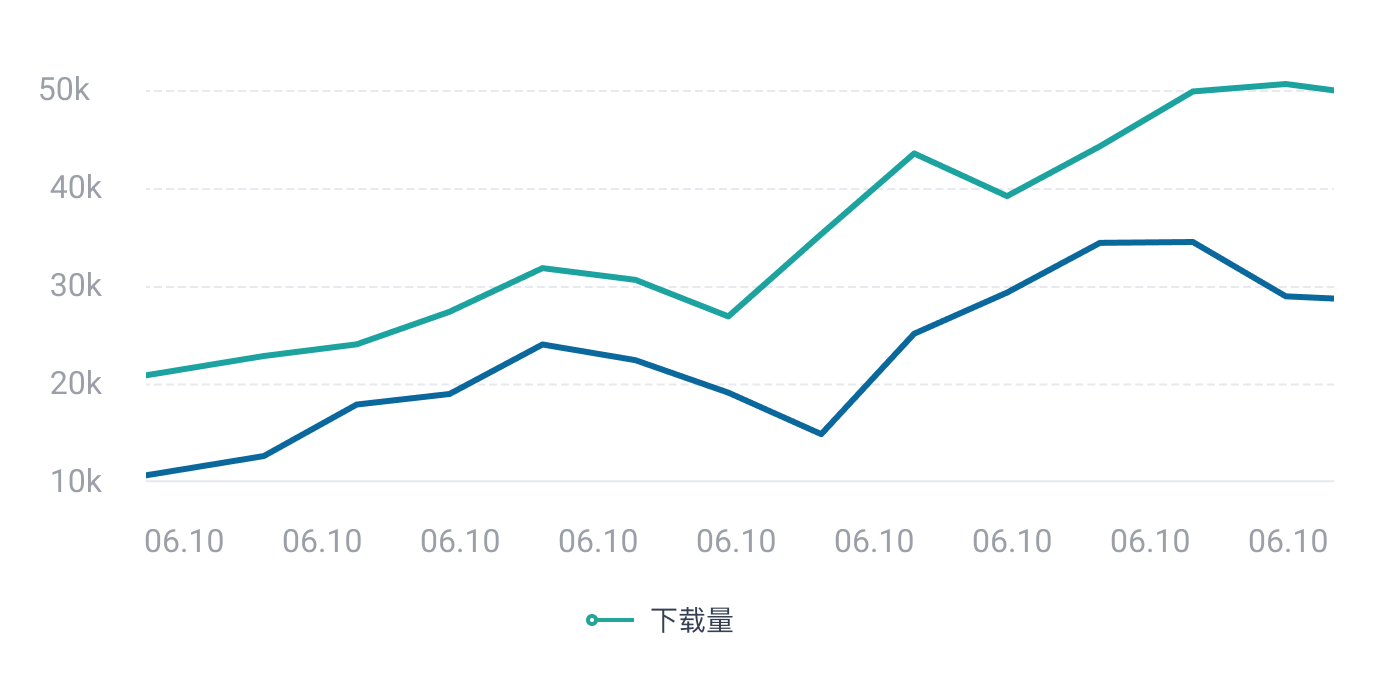
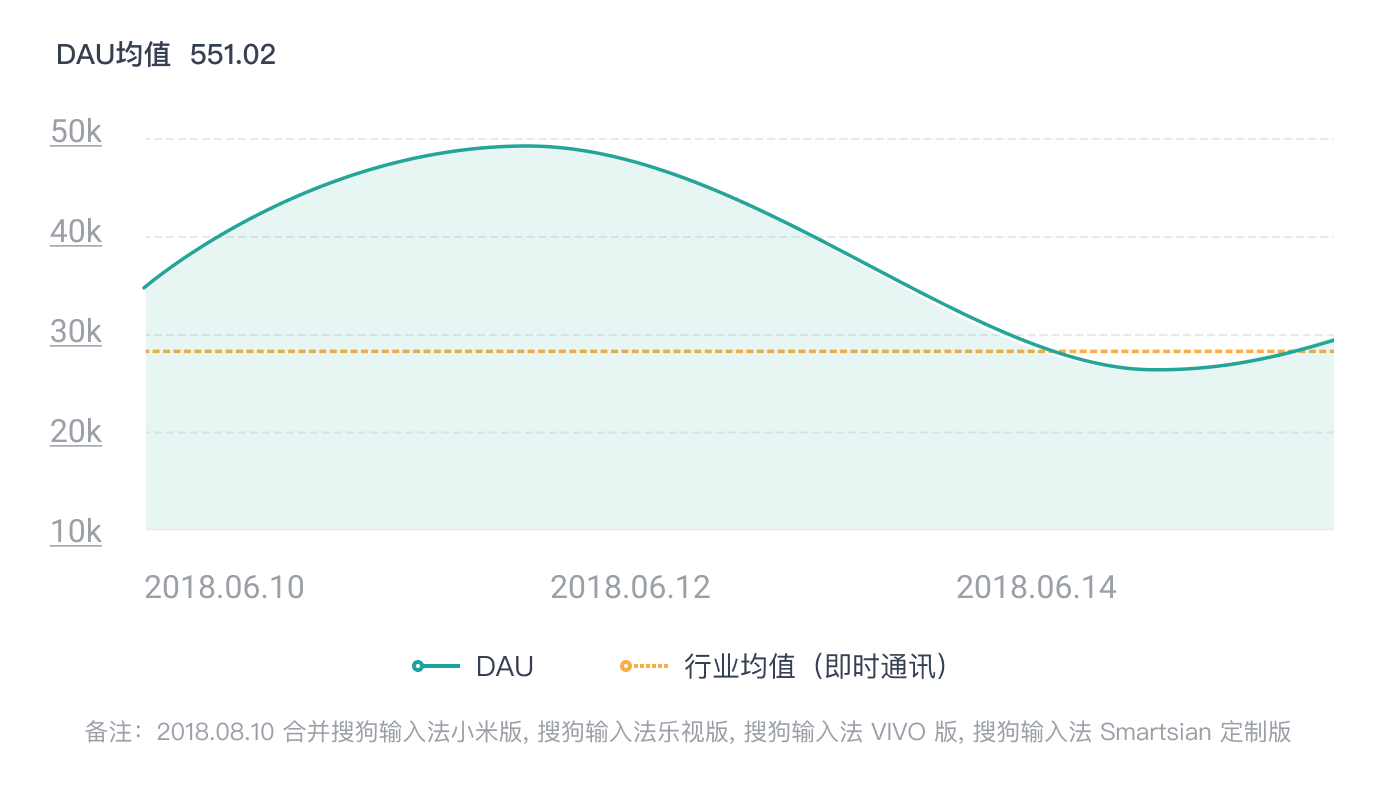
日活跃用户
 立即联系,体验更多数据
日新增用户
 立即联系,体验更多数据
人均使用时长
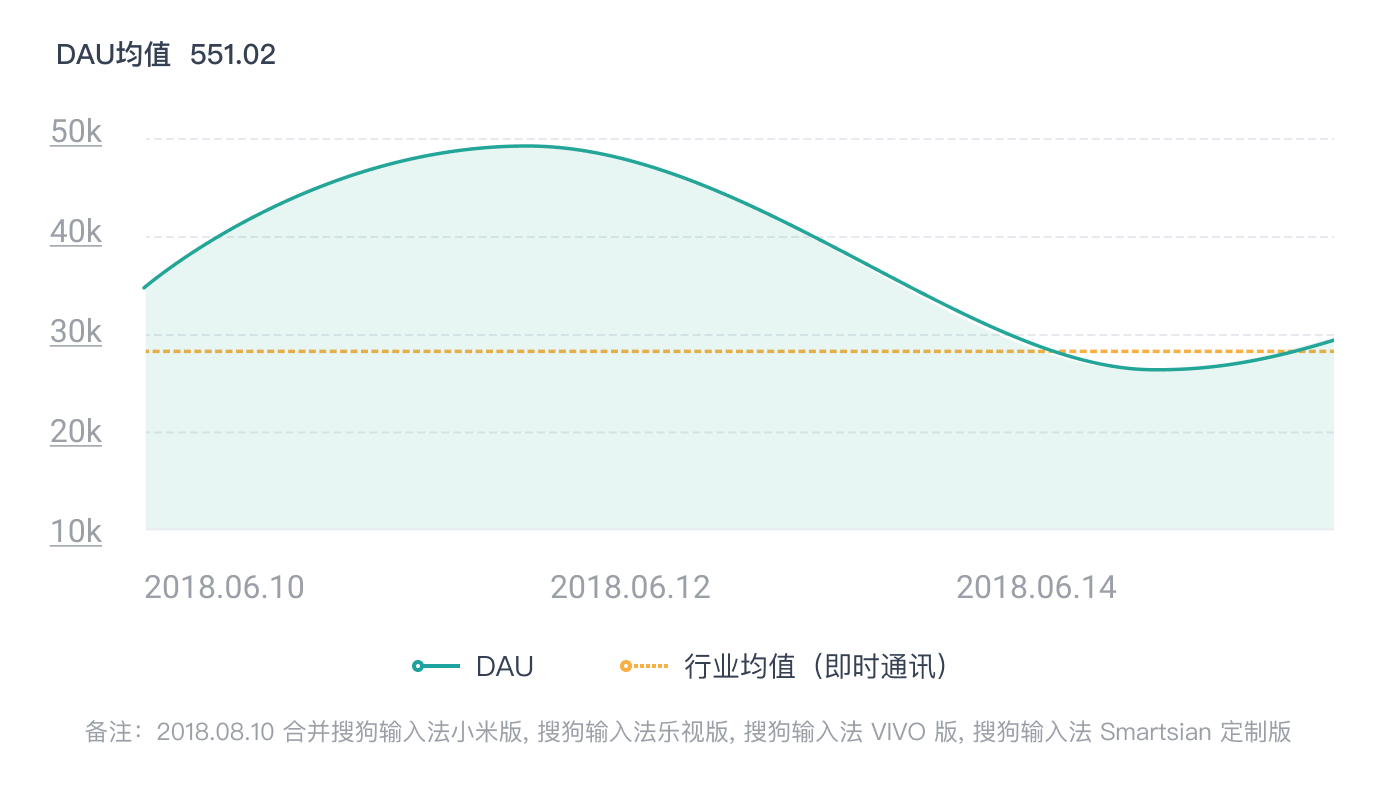 立即联系,体验更多数据
性别分布/年龄分布
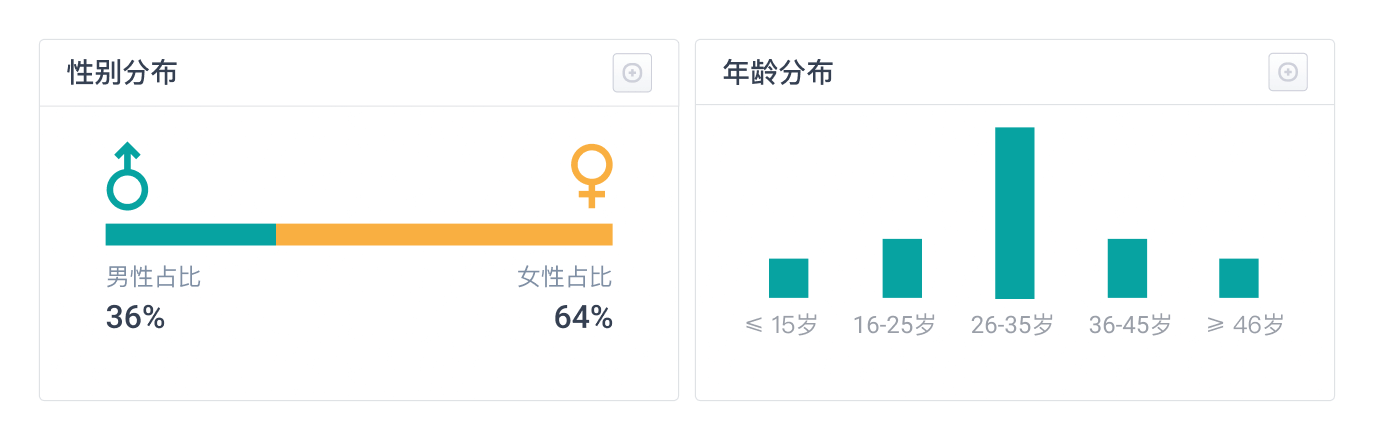 立即联系,体验更多数据
地域分布
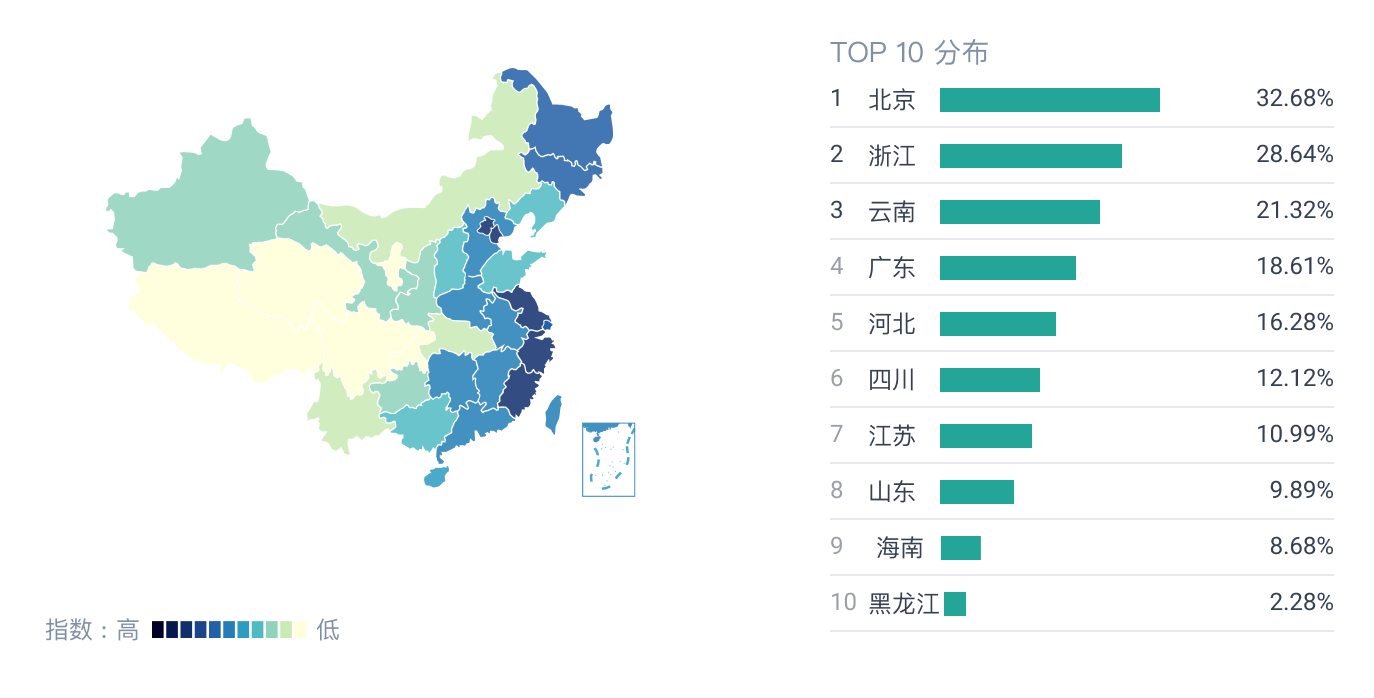 立即联系,体验更多数据
立即联系